
Getting started with network automation can feel intimidating, but using Netmiko allows beginners to turn familiar Cisco CLI commands into Python scripts quickly and safely.
I remember the first time I saw a complete automation script for a Cisco router. At first, it looked like an overwhelming jumble of Python syntax and device parameters. What helped me understand it was seeing how each line corresponded directly to steps I already knew from the CLI.
Once I realized that the Python script simply automated the SSH interaction I was already doing manually, the learning curve suddenly felt manageable. Netmiko preserves the logic engineers already know while introducing the power of scripting.
Setting Up the Environment
Before running any script, you need to ensure your environment is ready. Installing Netmiko is straightforward using pip:
pip install netmikoHaving Python installed and a basic understanding of how to run scripts from your terminal is sufficient. You don’t need advanced Python knowledge for your first script.
Understanding the Basic Script Structure
At its core, a simple Netmiko script follows a predictable structure:
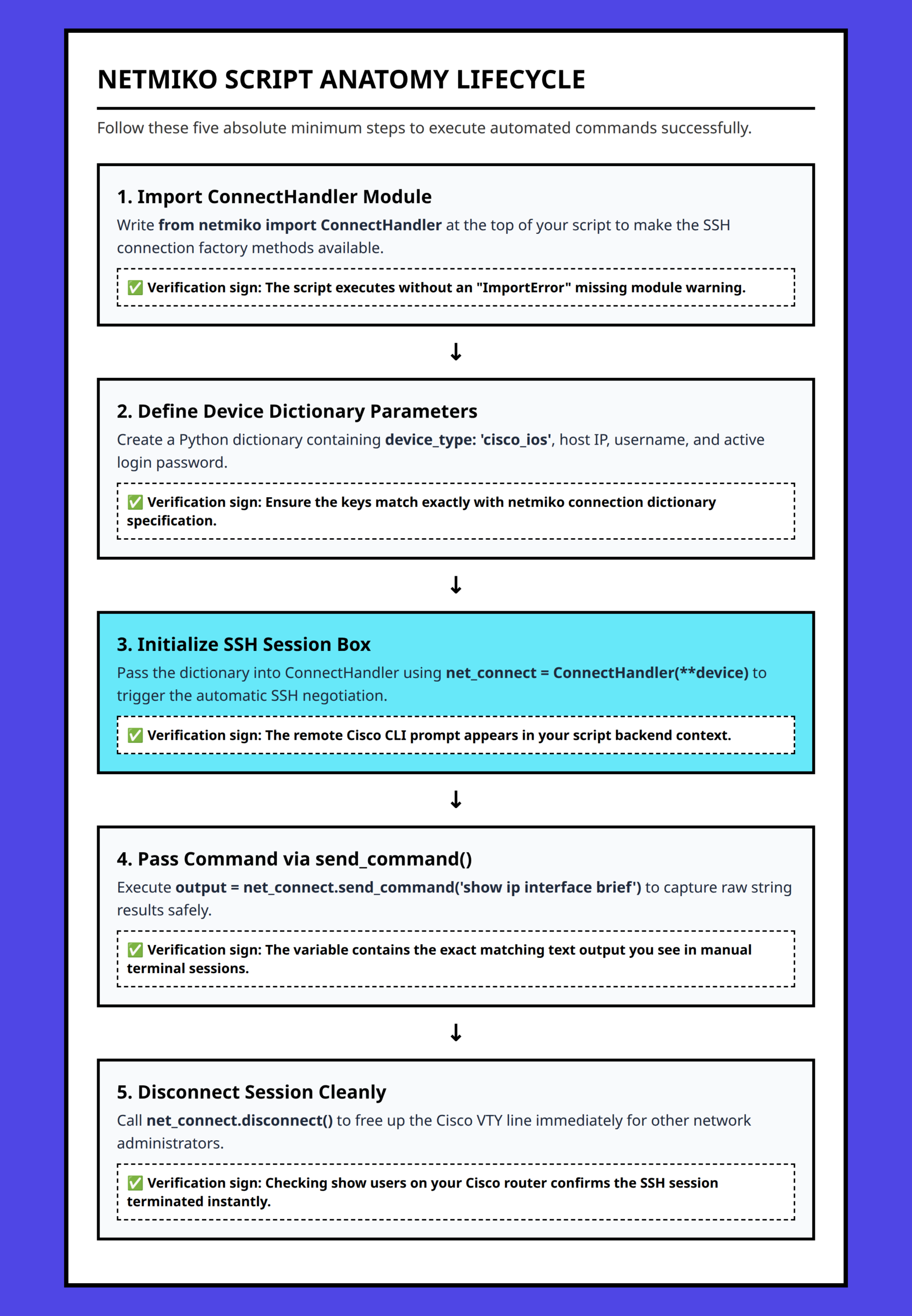
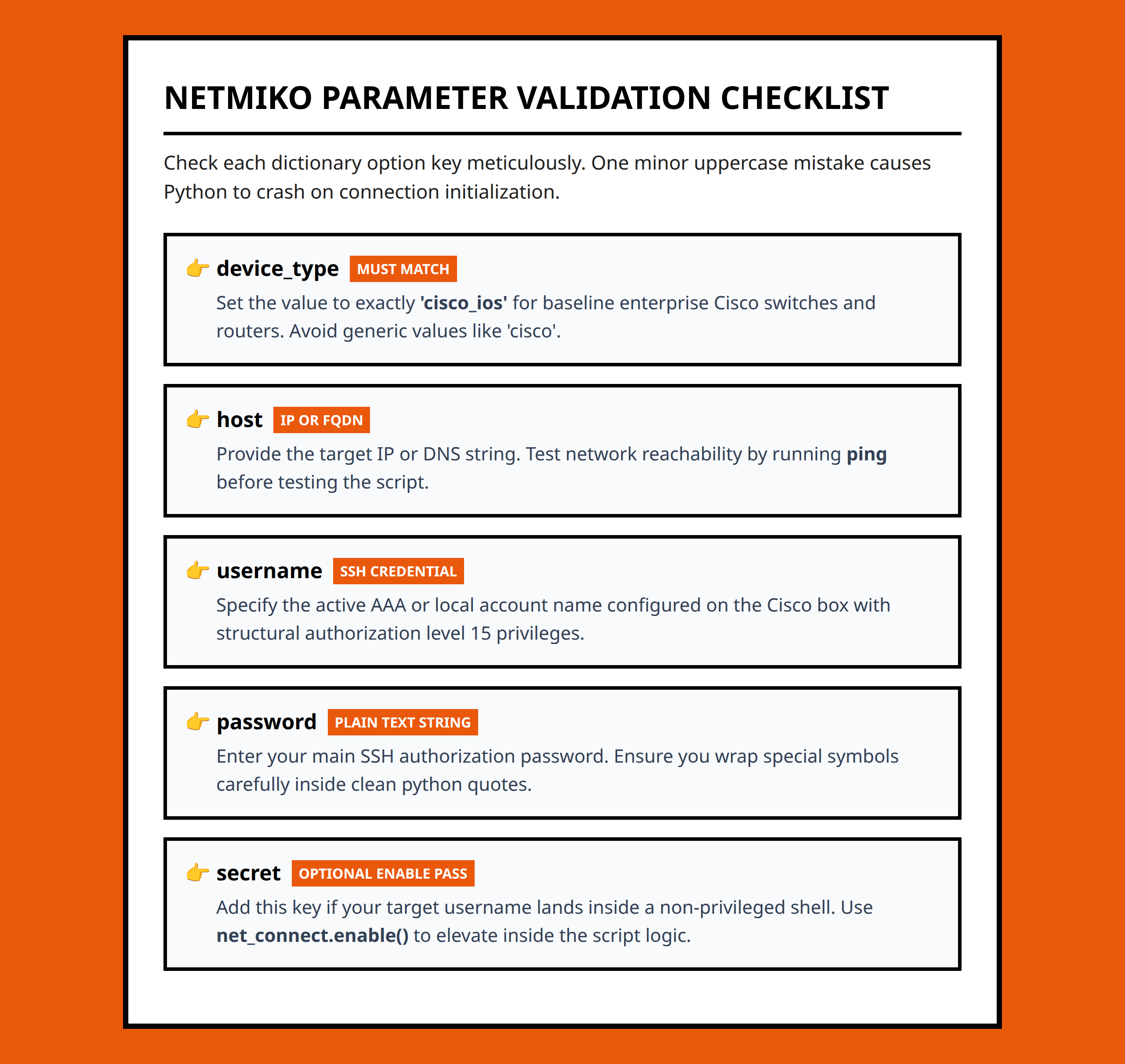
- Define connection parameters such as device type, IP address, and credentials.
- Create a connection object using Netmiko’s
ConnectHandler. - Send commands using
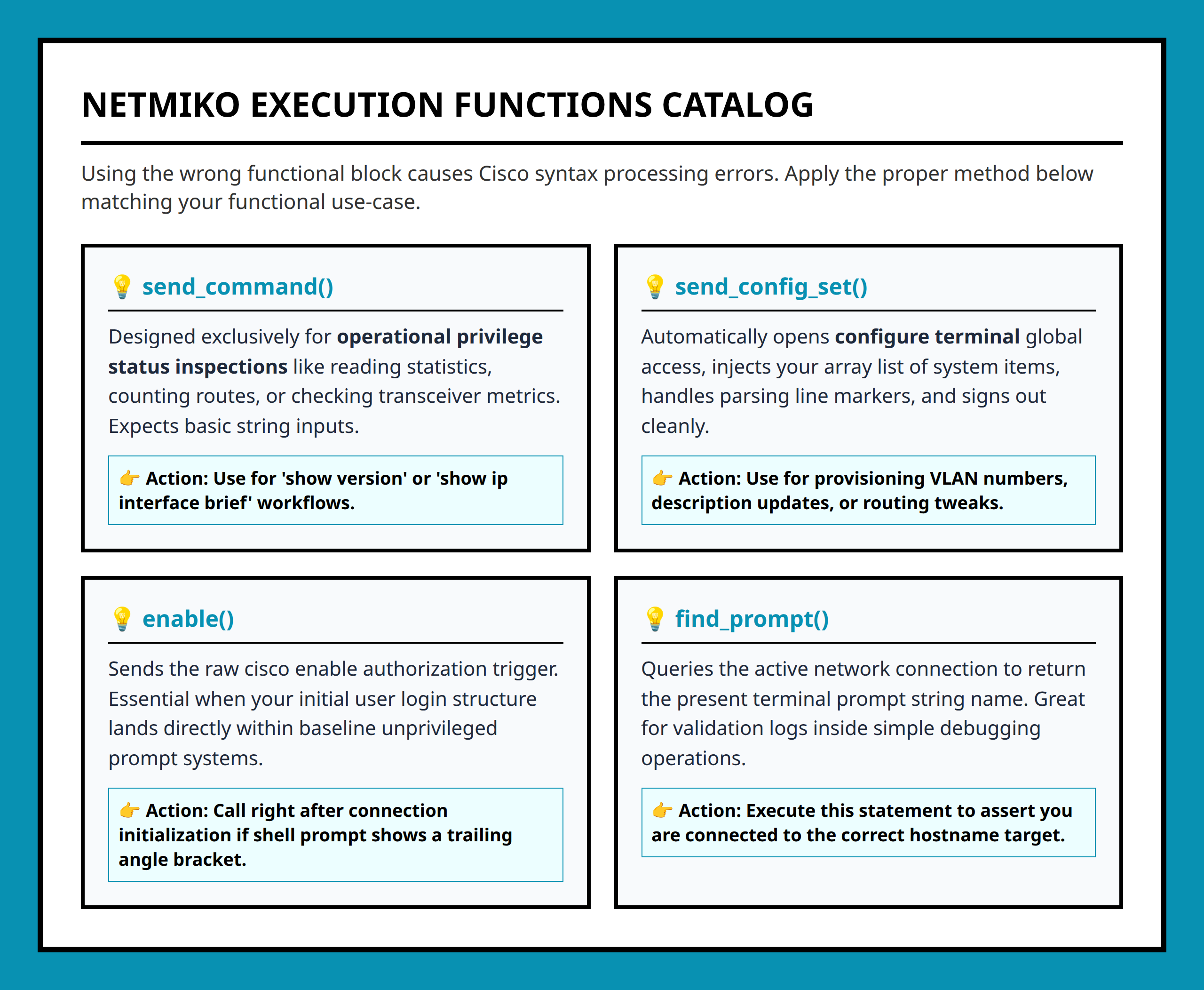
send_command()or configuration commands usingsend_config_set(). - Process the output or results as needed.
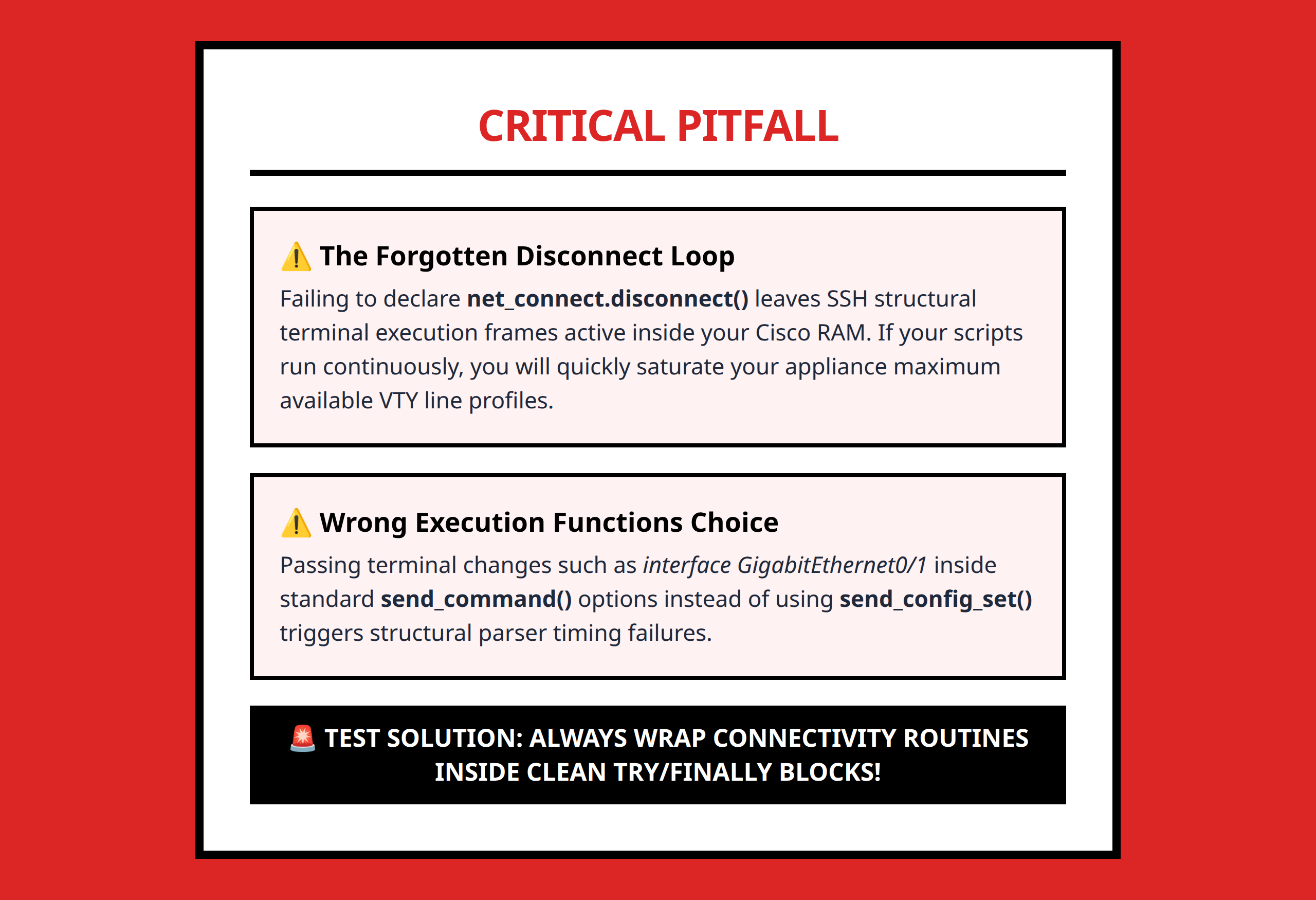
- Disconnect to close the session.
For example, a minimal working script might look like this:
from netmiko import ConnectHandler device = { 'device_type': 'cisco_ios', 'host': '192.168.1.1', 'username': 'admin', 'password': 'cisco', } connection = ConnectHandler(**device) output = connection.send_command('show ip interface brief') print(output) connection.disconnect() Each section has a clear role. The device dictionary contains the information needed to connect. ConnectHandler opens the SSH session, and send_command() executes familiar IOS commands. Finally, disconnect() ensures resources are released.
Why This Approach Works for Beginners
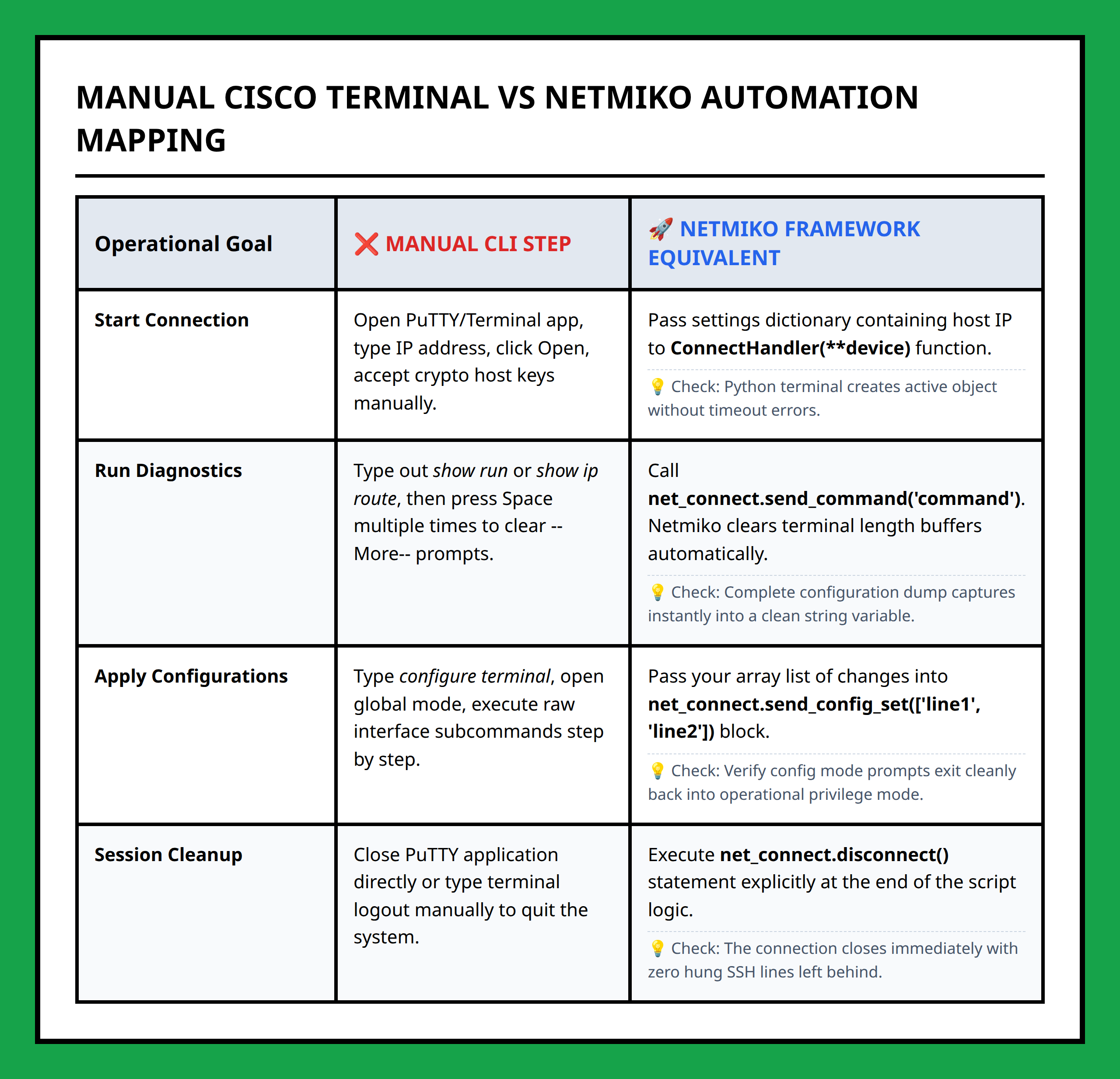
What makes this approach approachable is that it mirrors the manual steps engineers already know. Logging in, running commands, reading output, and logging out remain the same conceptually, but now Python automates the repetition.
Even with a small script, you gain confidence by seeing immediate results. For instance, instead of checking interfaces on five devices manually, the script can loop through devices and display outputs consistently, reducing human error.
Next Steps for Learning
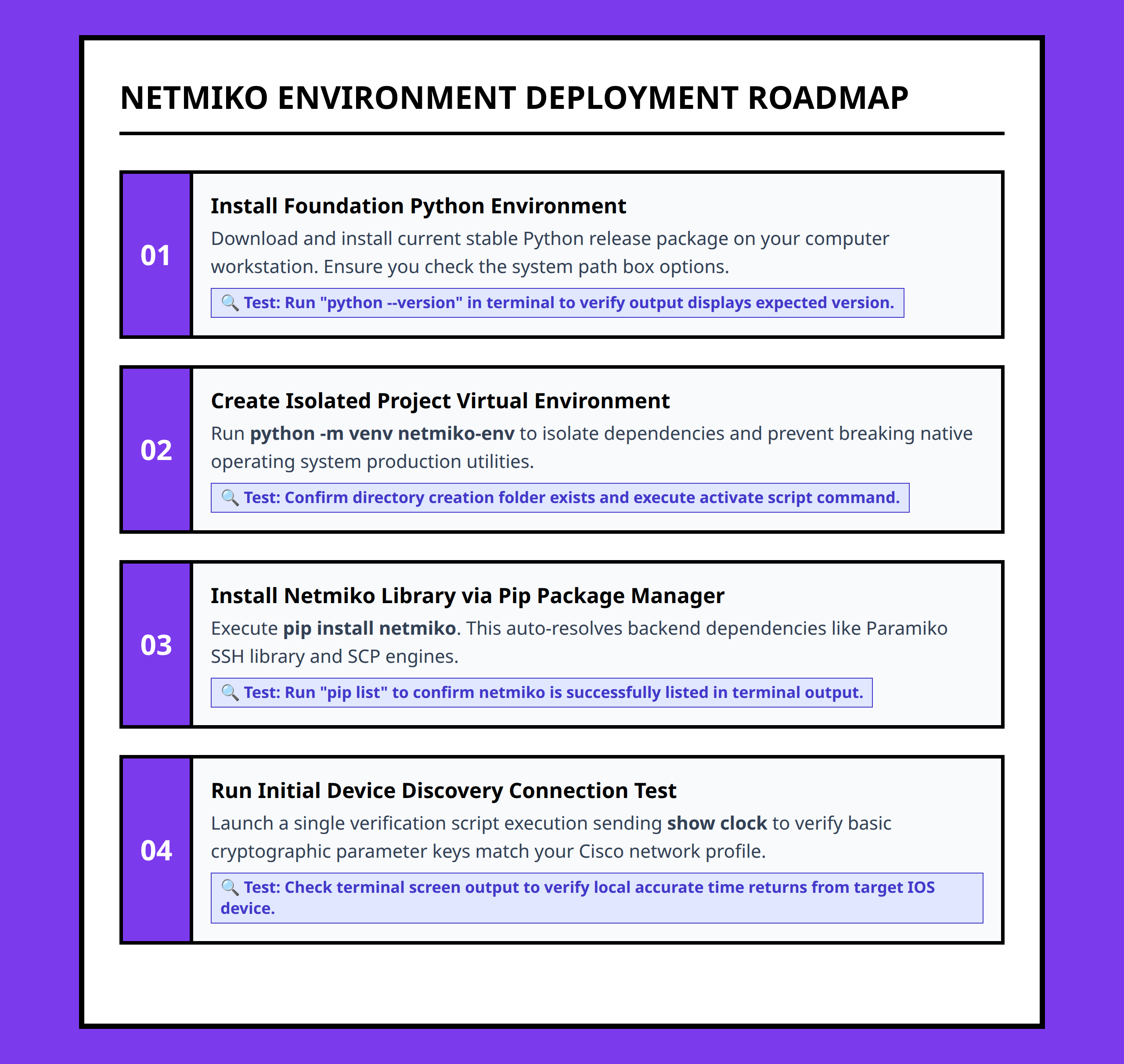
Once you are comfortable with a basic script, the natural progression is to start iterating commands, saving outputs, or performing configuration changes programmatically. The key is to focus on understanding each component of the script rather than adding complexity too soon.
Starting small ensures you develop a strong foundation. You can later integrate more advanced automation, structured data retrieval, and orchestration frameworks when you are ready.
By automating the tasks you already understand, Netmiko transforms daily repetitive work into a learning platform for deeper network automation without overwhelming you with abstractions.
References:
- https://www.youtube.com/watch?v=5dahqpYiH4g
- https://www.youtube.com/watch?v=hNcv3bdbxcI
- https://www.youtube.com/watch?v=164EWmwbVmE
- https://www.youtube.com/watch?v=Gn1xzquZ7oo
- https://learningnetwork.cisco.com/s/question/0D5QO00001q4K2C0AU/lets-talk-first-wins-what-was-your-first-simple-network-automation-script
- https://forum.networklessons.com/t/device-programmability/6698
- https://kd9cpb.com/netmiko-auto
- https://blogs.cisco.com/developer/start-in-network-automation
- https://medium.com/@mickaelsoares/network-automation-with-python-and-netmiko-get-device-status-0ad735b7129d
- https://instalumeo.com/netmiko-for-beginners-automate-routers/
- https://blog.cloudmylab.com/netmiko-python-for-network-automation
- https://community.cisco.com/t5/networking-knowledge-base/automate-the-vlan-creation-process-using-python-amp-netmiko/ta-p/5002644
- https://orhanergun.net/automate-cisco-devices-using-python-netmiko
- https://codilime.com/blog/python-paramiko-and-netmiko-for-automation/