
Linux capabilities were designed to reduce the risks of giving every privileged process full root access. They improved security, but Android eventually exposed a deeper problem: many mobile threats still needed stronger isolation than capabilities alone could realistically provide.
When people first learn Linux security, root access usually looks like the central issue. If a process has root privileges, it can bypass permissions, access sensitive files, and control large parts of the system. The obvious solution seems simple: reduce the number of root processes.
That idea helped, but Android showed why it was incomplete. Even limited privileged access could become dangerous once smartphones started running large numbers of internet-connected applications and long-running system services.
Takeaways
- Linux capabilities split root privileges into smaller permission groups.
- The capabilities model follows the principle of least privilege.
- Capabilities reduced some security risks but still trusted processes too broadly.
- Android’s mobile threat environment exposed weaknesses in capability granularity.
- A compromised process with the wrong capability could still create major damage.
Root access created a dangerous all-or-nothing security model
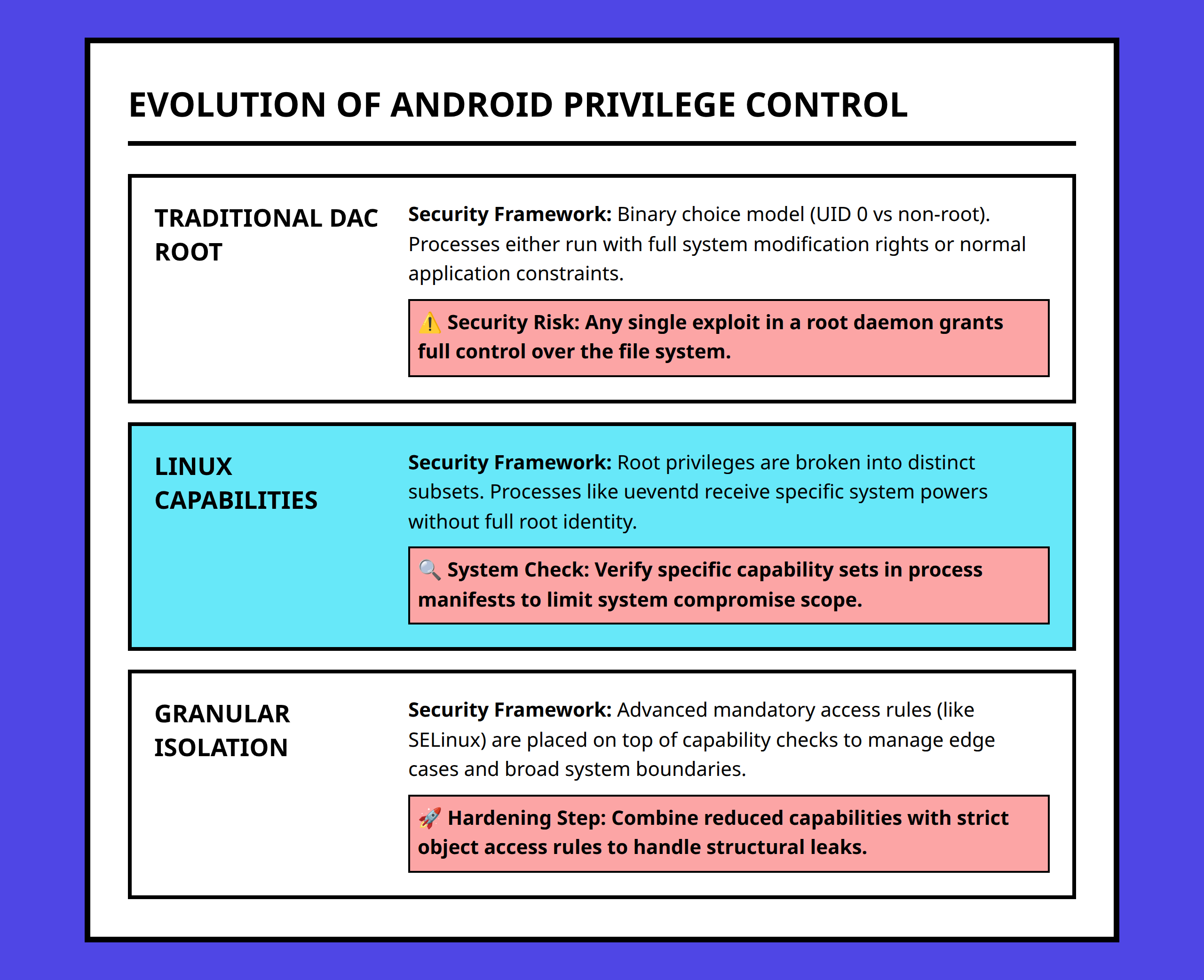
Traditional Linux systems treated the root user as nearly unrestricted.
A root process could:
- Change file ownership
- Bypass permission checks
- Access protected data
- Control system-level operations
- Modify security-sensitive resources
That structure worked reasonably well when Linux systems were managed mostly by experienced administrators running controlled software stacks.
Android changed the operating environment completely.
Phones became permanent networked devices running third-party apps, background services, media processors, messaging systems, and vendor-specific components all at the same time.
I think this is where root access stopped being just a convenience problem and became a containment problem.
If a single privileged process became compromised, attackers could often move far beyond the original vulnerability. One weak daemon or driver could undermine isolation across the entire system.
A modern smartphone handles too much sensitive information for that level of trust to remain comfortable.
Linux capabilities tried to break root into smaller pieces
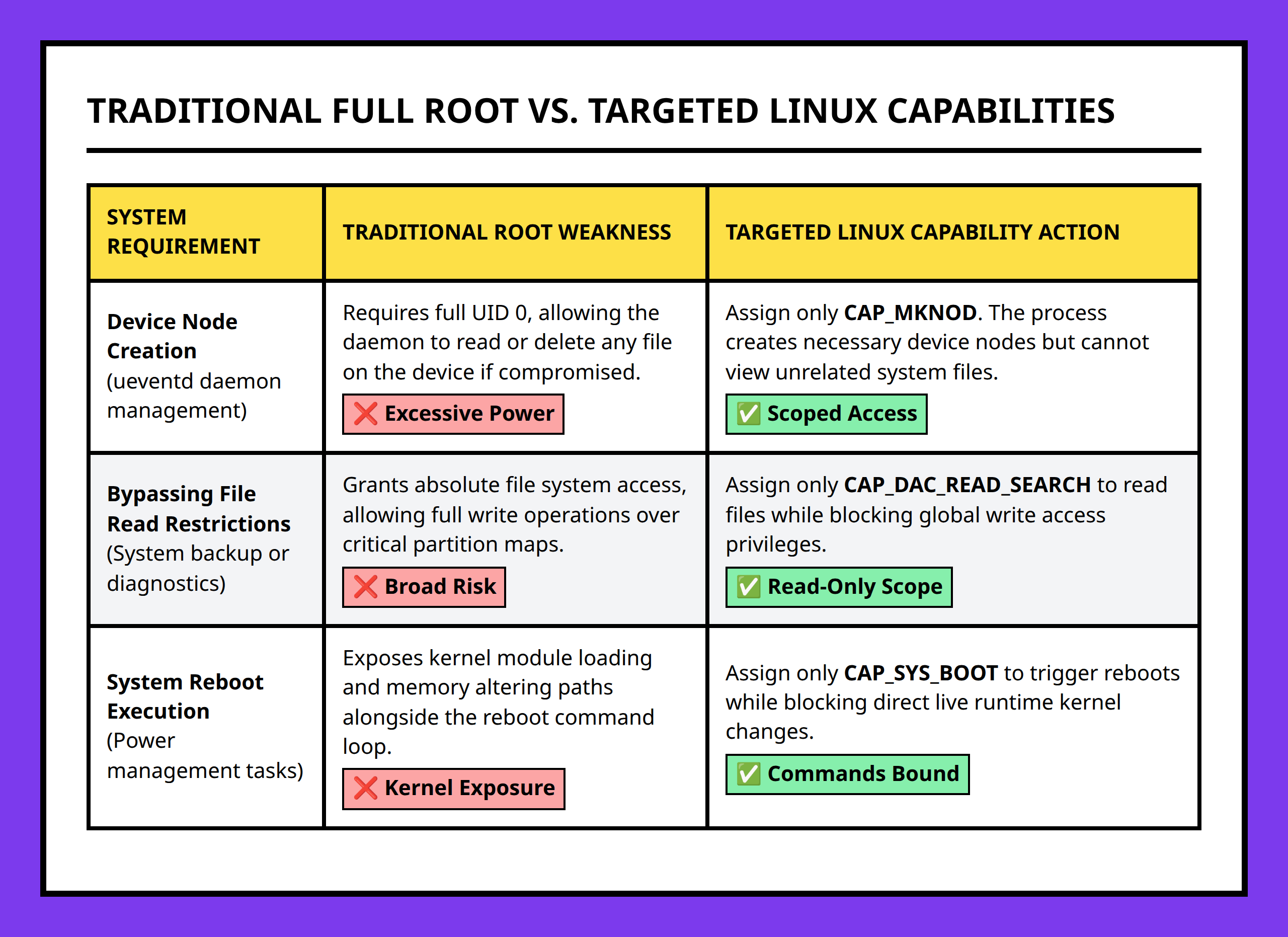
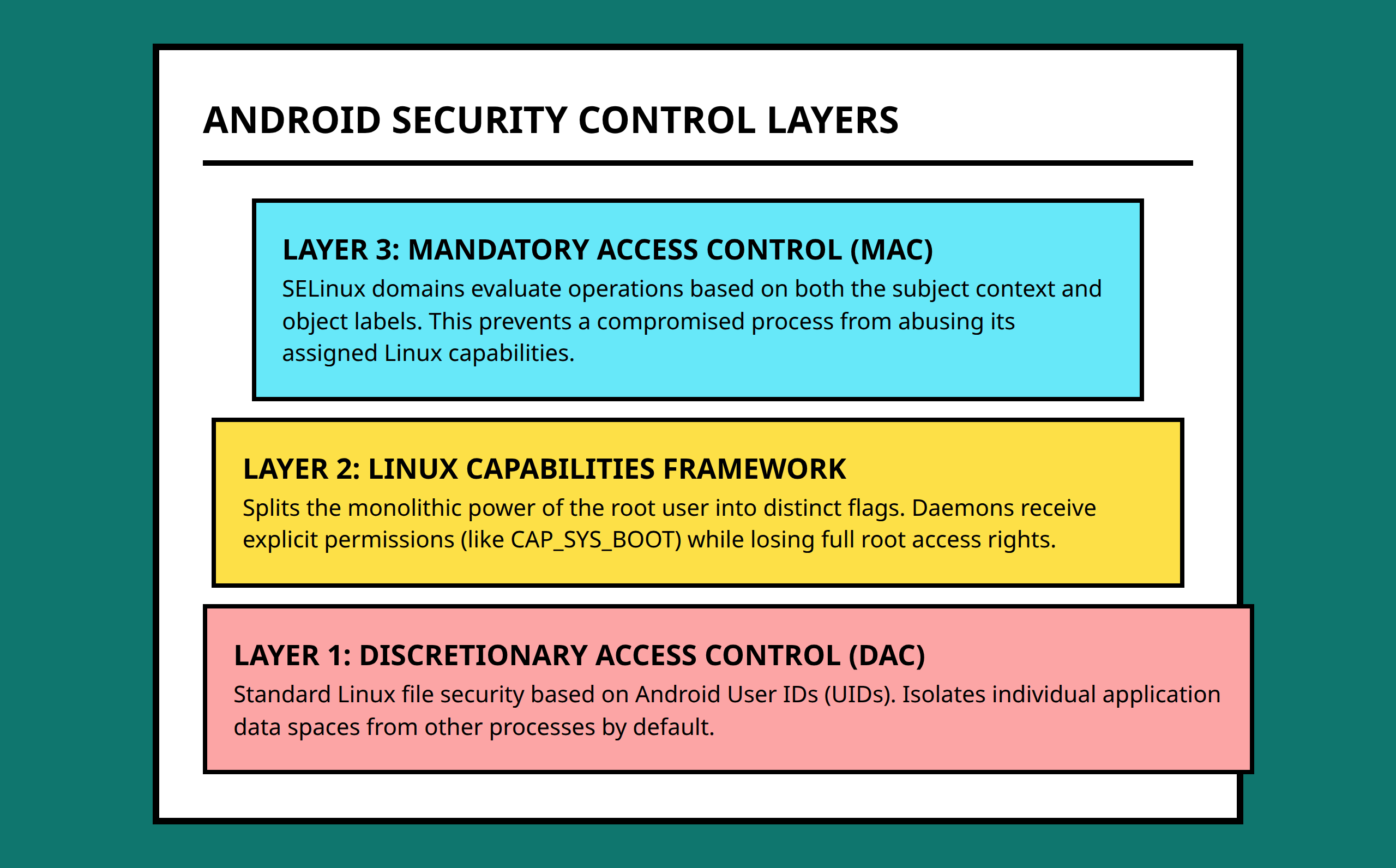
The Linux capabilities model was introduced as a way to reduce the dangers of unrestricted root power.
Instead of giving a process unlimited authority, Linux could assign smaller subsets of privileges called capabilities.
This followed the security principle known as least privilege.
The idea is straightforward:
A process should receive only the permissions required to perform its specific job.
For example, a process that only needs reboot functionality should not automatically gain permission to bypass filesystem protections or inspect sensitive user data.
Linux capabilities tried to separate those powers into narrower categories.
Some examples include:
CAP_SYS_BOOTfor reboot-related operationsCAP_DAC_READ_SEARCHfor bypassing file read permission checksCAP_CHOWNfor changing file ownership
This was a meaningful improvement because processes no longer needed complete root authority just to perform one privileged task.
I still think capabilities solved a real problem. They reduced the attack surface created by unrestricted root usage and forced developers to think more carefully about privilege assignment.
The ueventd example shows why least privilege matters
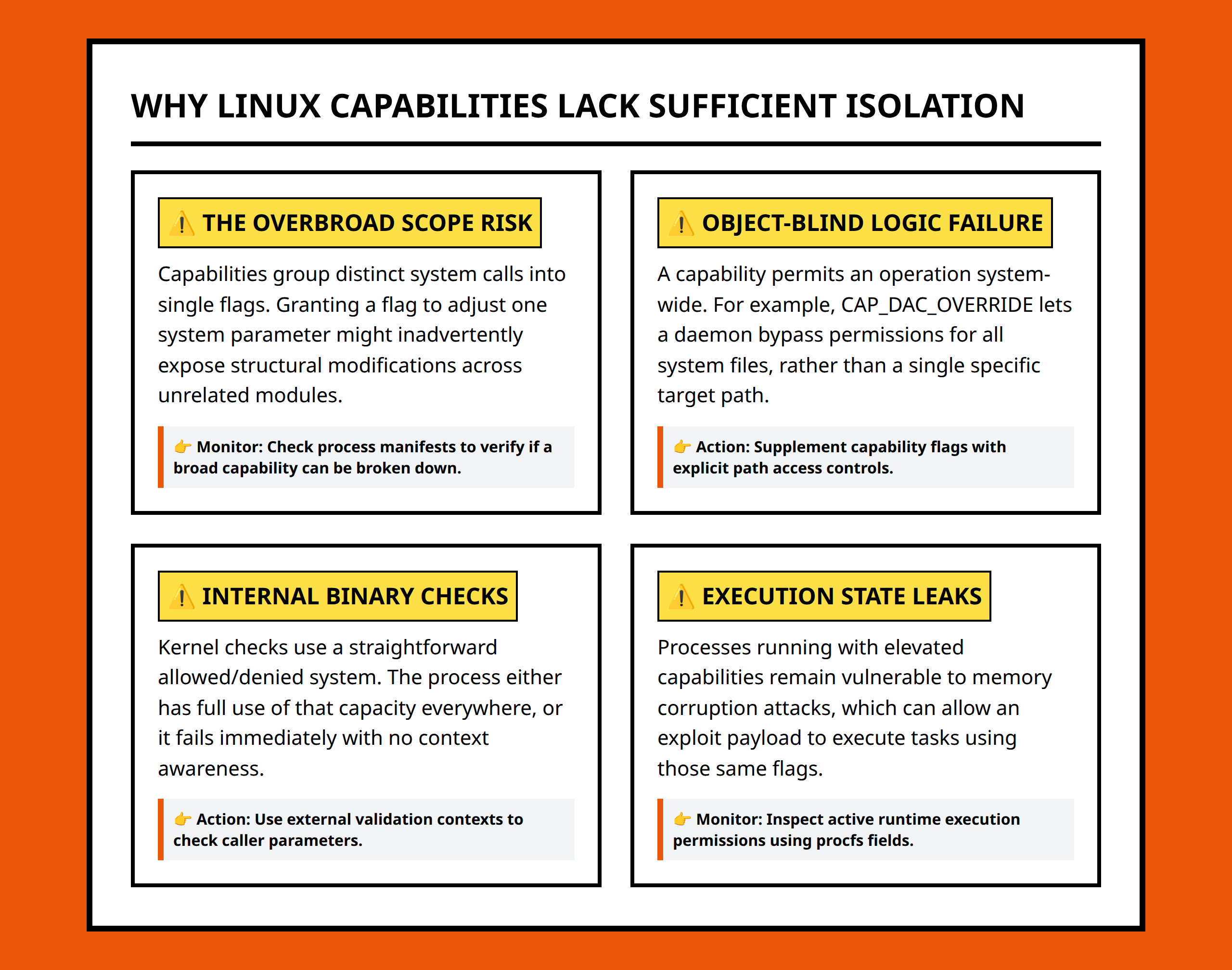
A useful example involves ueventd, the Linux user event daemon responsible for handling device node creation based on kernel events.
Traditionally, a service like this might run entirely as root because it performs system-level operations.
That creates an obvious risk.
If attackers compromise the daemon, they potentially inherit broad root authority. A process intended only to manage hardware events could suddenly access private files, system resources, or authentication material.
The capabilities model attempted to narrow that exposure.
Instead of giving the daemon unlimited privileges forever, the process could:
- Start with elevated permissions
- Drop unnecessary privileges
- Retain only the specific capabilities required for its operational role
That approach reduced the damage a compromised service could cause.
I think this was an important conceptual improvement because it acknowledged something older UNIX-style systems often ignored: trusted services can fail too.
Capabilities still suffered from a granularity problem
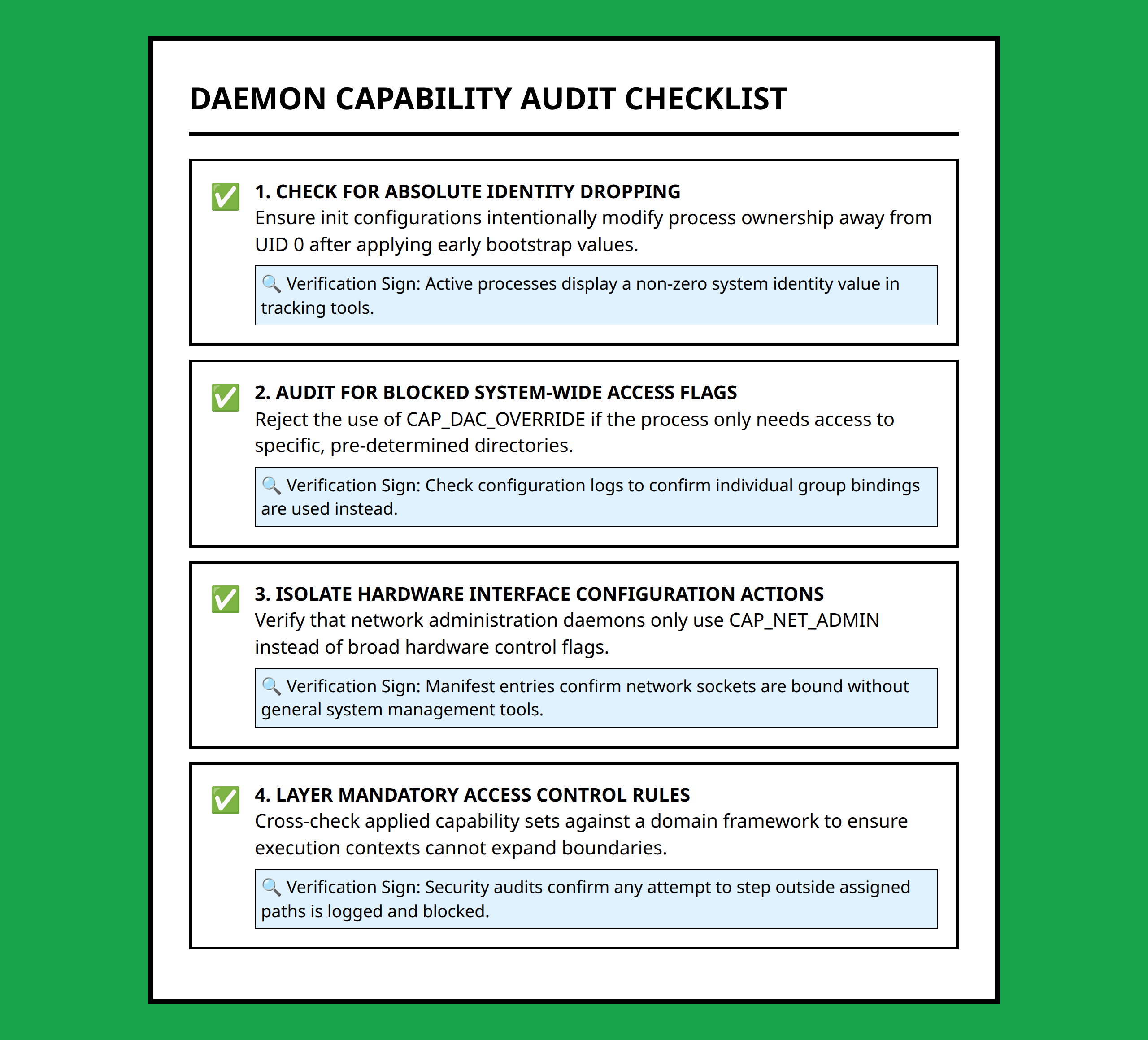
Even after Linux capabilities reduced privilege scope, Android security still faced a deeper limitation.
The permissions were narrower than root access, but they were often still too broad for modern mobile isolation needs.
This is where the capabilities model started showing its limits.
Imagine a backup service that needs permission to access protected user files.
The system might assign a capability allowing the process to bypass certain filesystem restrictions so backups can occur automatically.
That sounds reasonable until the process becomes compromised.
An attacker now gains the same capability.
The process may no longer have unrestricted root access, but it can still read highly sensitive data outside its intended purpose.
I think this is the key issue many simplified security explanations skip.
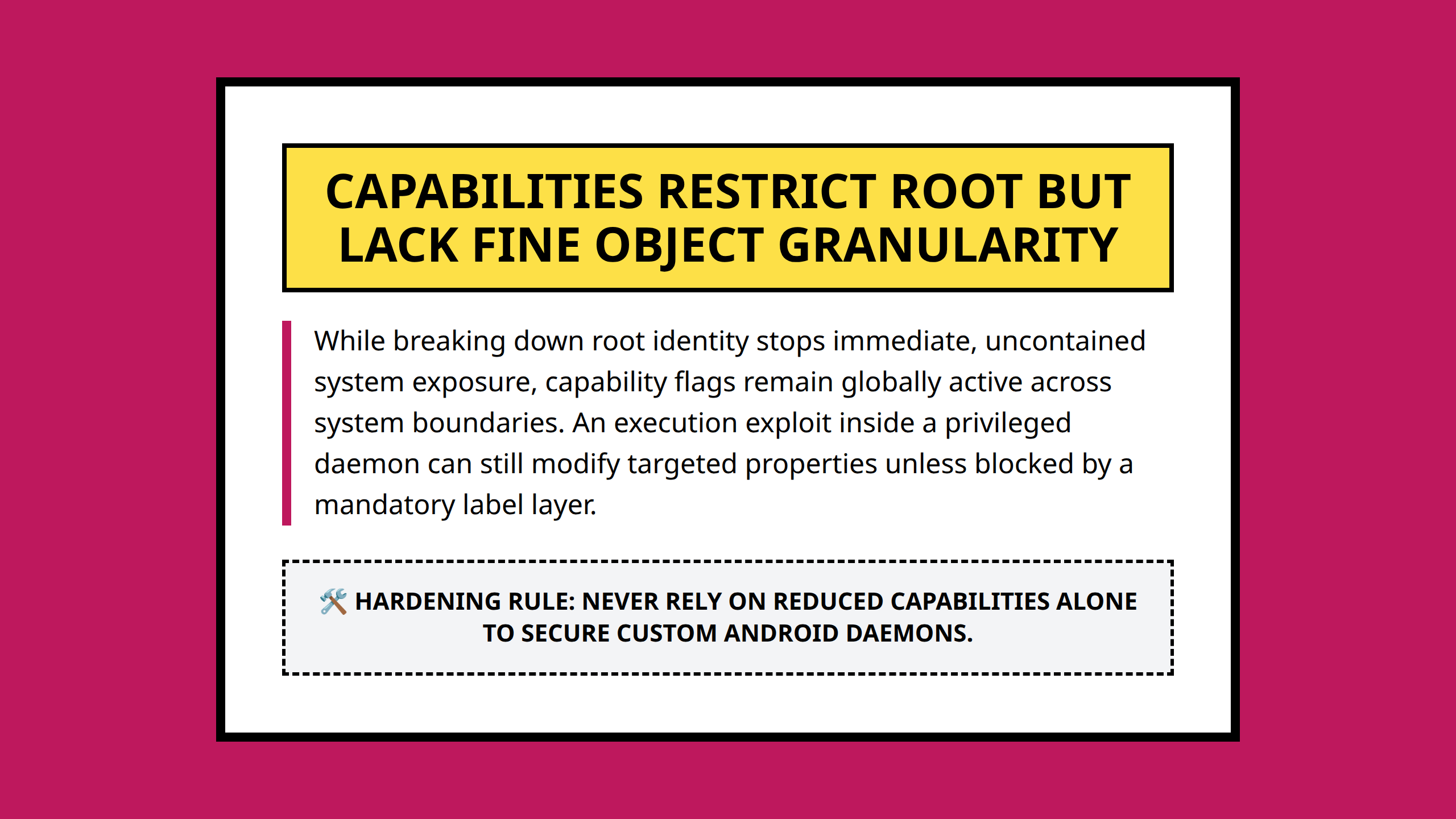
Capabilities reduced privilege scope, but they still relied heavily on trusting the process once the capability was granted.
The operating system knew the process had a capability. It did not always know whether the process was using that capability safely.
Android exposed weaknesses desktop Linux could tolerate
Desktop Linux systems often operated in environments where administrators installed trusted software manually and controlled system behavior closely.
Android devices operate under very different conditions.
A smartphone continuously interacts with:
- Downloaded applications
- Media files from unknown sources
- Messaging content
- Bluetooth devices
- Web browsers
- Background network traffic
Under those conditions, the probability of vulnerable code increases dramatically.
A capability that looks manageable on a tightly controlled server becomes riskier on a consumer device constantly processing untrusted input.
I think Android security became difficult partly because mobile operating systems combined two conflicting realities:
- Large numbers of privileged background services
- Large amounts of untrusted external input
Capabilities reduced some damage, but they still struggled to isolate processes with the precision Android eventually needed.
Capabilities reduced risk, but they did not fully contain compromise
The most important thing to understand is that Linux capabilities were not a failure.
They represented a serious improvement over unrestricted root usage.
But Android security required a model that could answer a stricter question:
Even if a process has privileges, what specific actions should it still be forbidden from performing?
Capabilities alone could not answer that with enough precision.
A process might need limited filesystem access but should still be blocked from touching unrelated application data. Another process might need network access but should never interact with certain kernel resources.
Those kinds of restrictions required more detailed policy enforcement than capabilities were designed to provide.
I think this explains why Android eventually moved toward stronger Mandatory Access Control systems like SELinux.
The problem was not simply reducing root usage anymore. The real challenge was controlling what privileged processes could still do after compromise, misconfiguration, or unexpected behavior.
That is a much harder problem than traditional Linux permissions were originally built to solve.
- Root: The highest-privileged Linux user account with broad system control.
- Linux capability: A smaller subset of root privileges assigned to a process for specific operations.
- Least privilege: A security principle where processes receive only the permissions necessary for their tasks.
- ueventd: A Linux daemon responsible for handling device events and device node management.
- Daemon: A background process that performs ongoing operating system tasks.
- CAP_SYS_BOOT: A Linux capability allowing reboot-related operations.
- CAP_DAC_READ_SEARCH: A Linux capability that bypasses some normal filesystem read permission checks.
- Privilege escalation: A situation where an attacker gains higher system privileges than intended.
- Mandatory Access Control (MAC): A security model where centralized policies restrict system behavior beyond normal ownership permissions.
References:
- https://www.reddit.com/r/linux/comments/8een14/root_access_on_android_vs_other_linux_distros/
- https://www.reddit.com/r/degoogle/comments/1g843vk/why_is_rooting_android_not_secure/
- https://www.reddit.com/r/androidroot/comments/1s871zn/do_i_actually_need_root_permissions_on_my_device/
- https://www.quora.com/Why-do-I-need-to-root-my-Android-phone-if-Google-uses-Linux-So-Linux-is-open-source-but-Google-can-lock-down-my-access-to-my-phone
- https://www.quora.com/Why-doesnt-Android-allow-root-access-as-just-another-permission-or-via-an-opt-in-option-in-the-developer-menu
- https://www.quora.com/Why-are-Android-phone-manufacturers-fighting-against-root-access
- https://www.kaspersky.com.au/blog/android-root-faq/17135/
- https://www.linkedin.com/pulse/why-root-android-bigger-deal-than-linux-piotr-pertyński-td7ef
- https://www.packtpub.com/en-sg/learning/tech-guides/what-role-does-linux-play-in-securing-android-devices
- https://nordvpn.com/blog/why-you-shouldnt-root-android/
- https://stackoverflow.com/questions/40070764/if-android-is-linux-under-the-hood-why-do-we-need-to-root-at-all
- https://www.computer.org/csdl/magazine/sp/2024/06/10747397/21HRvaS8nqU
- https://unix.stackexchange.com/questions/433630/why-no-permissions-like-android-or-ios
- https://unix.stackexchange.com/a/433635
- https://www.rokform.com/blogs/rokform-blog/which-is-more-secure-iphone-or-android
- https://everythingforwindows.quora.com/https-www-quora-com-Why-is-Android-more-secure-than-Windows-answer-Xander-Dibra